


Steps to Organize Your Home Office for Productivity
Amelia Johnson September 24, 2025
In today’s world, the home office has become an integral part of many people’s daily routine. Whether you are working from home full-time or have a hybrid work model, creating a space that fosters productivity is essential. However, simply setting up a desk and chair is not enough. To truly boost your efficiency and creativity, the way you organize your home office plays a crucial role.
This article will guide you through the latest trends and best practices for organizing your home office to maximize productivity. By implementing these strategies, you can create an environment that promotes focus, reduces distractions, and enhances overall work performance.
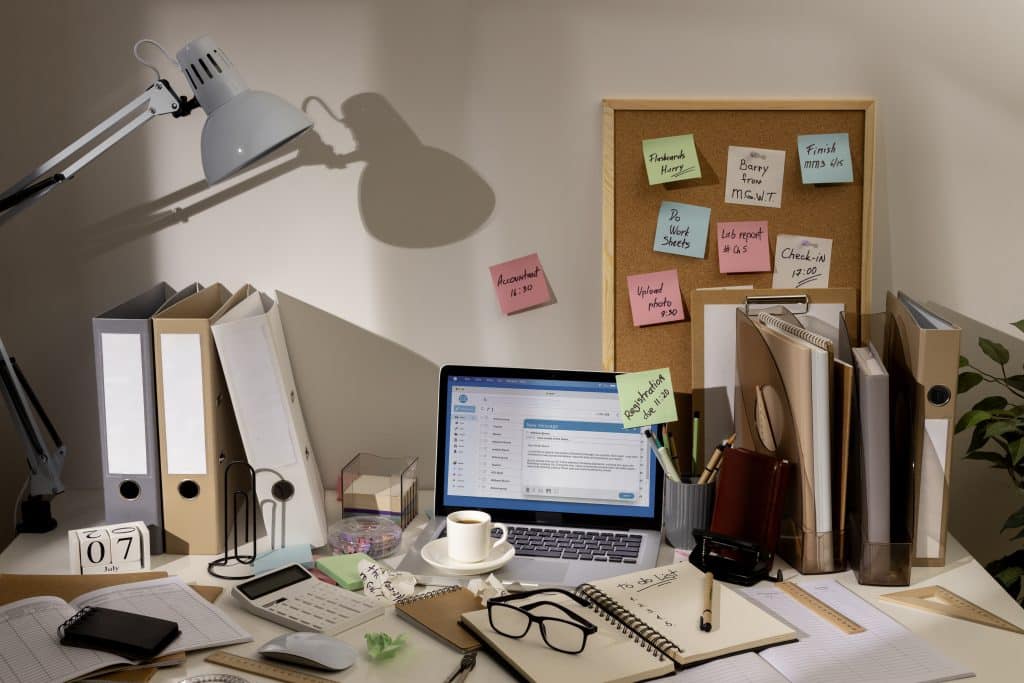
Why Organizing Your Home Office Is Essential
With more people working from home, creating an organized workspace has never been more important. A well-organized office can:
- Increase productivity: Reducing clutter and optimizing the workspace can help you focus more effectively on your tasks.
- Enhance creativity: A clean, inspiring space encourages creative thinking and problem-solving.
- Promote mental well-being: An organized space reduces stress and anxiety, leading to better mental health.
- Streamline workflow: Having everything in its place means less time spent searching for tools, documents, or information.
In this article, we’ll explore actionable steps you can take to organize your home office in a way that supports your goals for efficiency and success.
Step 1: Declutter Your Desk and Surroundings
Clutter can have a significant impact on productivity. Studies show that physical clutter leads to mental clutter, which can impair concentration and decision-making.
Decluttering Tips:
- Remove unnecessary items: Start by clearing your desk of anything not directly related to your work. This includes old papers, unused gadgets, or excessive decor. Only keep items that enhance your workspace and are functional.
- Use drawer organizers: Invest in desk organizers and drawer dividers to keep pens, paper clips, and other small items neatly stored and out of sight.
- Simplify your tech: Disconnect unused electronics or cables that tend to pile up and take up space.
By eliminating distractions, you’ll create a cleaner and more focused environment.
Step 2: Create a Functional and Ergonomic Layout
Your office layout is critical to how comfortable and productive you feel. An ergonomic design not only promotes better posture but also increases focus by minimizing physical discomfort.
Ergonomic Setup Tips:
- Choose a comfortable chair: Invest in a chair that supports your back and encourages proper posture. Adjustable armrests, lumbar support, and a reclining function can enhance comfort during long working hours.
- Position your desk and monitor: Your desk should be set at the proper height to keep your elbows at a 90-degree angle when typing. Position your monitor at eye level to reduce strain on your neck and eyes.
- Declutter your desk: Avoid overcrowding your desk with too many items. Keep only essential tools such as your laptop, a notebook, and perhaps a plant for a touch of nature.
Having a workspace designed for comfort helps prevent distractions caused by physical discomfort.
Step 3: Implement Smart Storage Solutions
Even the most minimalist of spaces can benefit from smart storage solutions. Whether you have a small nook or a dedicated office, the key is to find clever ways to store items without cluttering the area.
Storage Ideas:
- Wall-mounted shelves: Wall shelves are an excellent way to store books, files, or decorative items without taking up precious desk space.
- Vertical storage: Use filing cabinets, shelves, or pegboards that make use of vertical space. This helps keep important documents organized and accessible while keeping them off your desk.
- Cable management: Use cable organizers to keep cords from becoming tangled. A cable management box can help hide unsightly wires from electronics, creating a clean and organized aesthetic.
Smart storage allows you to maintain an organized office while ensuring that everything is easily accessible.
Step 4: Optimize Lighting for Focus
Lighting is an often-overlooked element of home office design, but it’s vital to both productivity and well-being. Poor lighting can cause eye strain, headaches, and fatigue, all of which can hinder your ability to focus.
Lighting Tips:
- Use natural light: Position your desk near a window to take advantage of natural daylight. Natural light boosts mood, enhances alertness, and is generally more comfortable for long work sessions.
- Invest in task lighting: A good desk lamp with adjustable brightness helps you focus while reducing eye strain. Opt for warm or neutral lighting to create a calm atmosphere.
- Avoid harsh fluorescent lights: These lights can create a sterile environment and cause headaches. If your office lacks natural light, consider LED lights with adjustable color temperatures.
Proper lighting can improve focus, reduce fatigue, and enhance your workspace’s ambiance.
Step 5: Add Personal Touches Without Overcrowding
Personalizing your home office can make it feel more inviting and inspiring, but it’s important not to overdo it. A few thoughtful decor elements can create an environment that motivates you to work without adding unnecessary distractions.
Personalization Ideas:
- Incorporate plants: Adding greenery to your office has been shown to reduce stress and improve air quality. Plants such as succulents, ferns, and peace lilies are easy to maintain and add a calming effect to your space.
- Art and inspiration boards: Displaying motivational quotes or a vision board can keep you inspired throughout the day. Just make sure it doesn’t overwhelm your workspace.
- Functional decor: Use items like stylish storage baskets, decorative organizers, or minimalist artwork to bring personality into the office without causing clutter.
Personal touches help create an office that feels uniquely yours, enhancing your creativity and engagement.
Step 6: Use Technology to Stay Organized
In 2025, digital tools can help streamline your home office even further. Many productivity apps are designed to help you organize tasks, schedule your day, and manage your projects efficiently.
Technology Solutions:
- Task management apps: Tools like Trello, Asana, or Todoist can help you organize your projects, set deadlines, and stay on track throughout the day.
- Cloud storage: Using cloud services like Google Drive, Dropbox, or OneDrive can help you store important documents digitally, reducing paper clutter.
- Focus apps: Apps like Focus@Will or Forest can help improve your concentration by limiting distractions.
Leveraging technology ensures that your workflow is smooth and organized, further boosting your productivity.
Conclusion
Organizing your home office is essential for maintaining productivity and mental well-being. By decluttering, optimizing ergonomics, and using smart storage solutions, you can transform your workspace into an efficient and inspiring environment. Remember that your office should reflect your personal style, but also support your goals for productivity and focus.
Incorporating lighting, technology, and personal touches will create a balanced and organized space that fosters a positive workday experience. With the right tools and a little creativity, your home office can be both functional and motivating.
References
- The Importance of Organizing Your Workspace- https://hbr.org
- Ergonomics and Office Productivity– https://www.cdc.gov
- Top Home Office Organization Tips for Better Productivity- https://www.forbes.com

 Adventure Travel Experiences That Encourage Exploration


